
Creating Survival Mode UI
What I did
On Sniper Elite 5 I joined the project mid way through production this meant some features were already made and others just starting.
It was a great point to experience improving and maintain existing systems while also concepting and creating new ones. Sniper's wave based mode 'Survival' was a feature that I had the opportunity to take from design right to implementation, while the sniper load out system was one I managed and improved.
- UI Art for a range of features - HUD notifications and elements, load screen photos
- UI design of original Propaganda lobby screen
- Designed, Implemented and animated all Survival mode UI
- Maintained and improved large scale features such as the player load out and character customisation system
Overview
Sniper Elite 5 is the latest instalment from the Sniper Elite series, located in WW2 france, the game is a third person tactical sniping game.
Since this was an existing IP project it was important to be consistent with the other titles, while also pushing for improvements that compliment the existing systems. Due to the vast nature of this project and its many modes I worked in a large UI team that consisted of a lead, 2 UI designers and 2 Artists. Such a large team made for a highly collaborative project that encouraged strong communcations between features
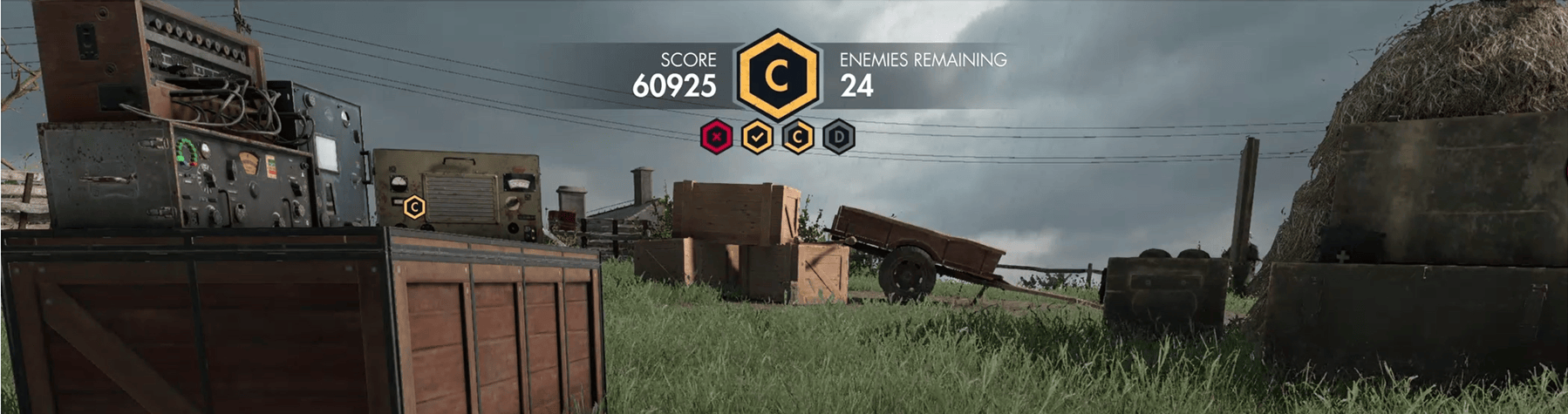
Survival Mode HUD Score
Showcasing : UX - UI - Art - Implementation - Motion Design
Research
Survival is Snipers wave base co-op mode that all players to defend 4 command posts while fighting through waves of enemies. In this section I'm going to talk through my process of creating the score HUD element for this mode.
The goal of the score widget is to to keep the player informed of all objectives, these being, The players score, The status of the defending point , the current stage of defence of that point, remain wave enemies and time till next wave. After working out the information hierarchy I begin gather game HUD reference, I focus on games that use graphs and iconography as these best showcase how to compile complex progression systmes to the player, for example overwatchs push the payload widget, lots of information condenced down into one image.
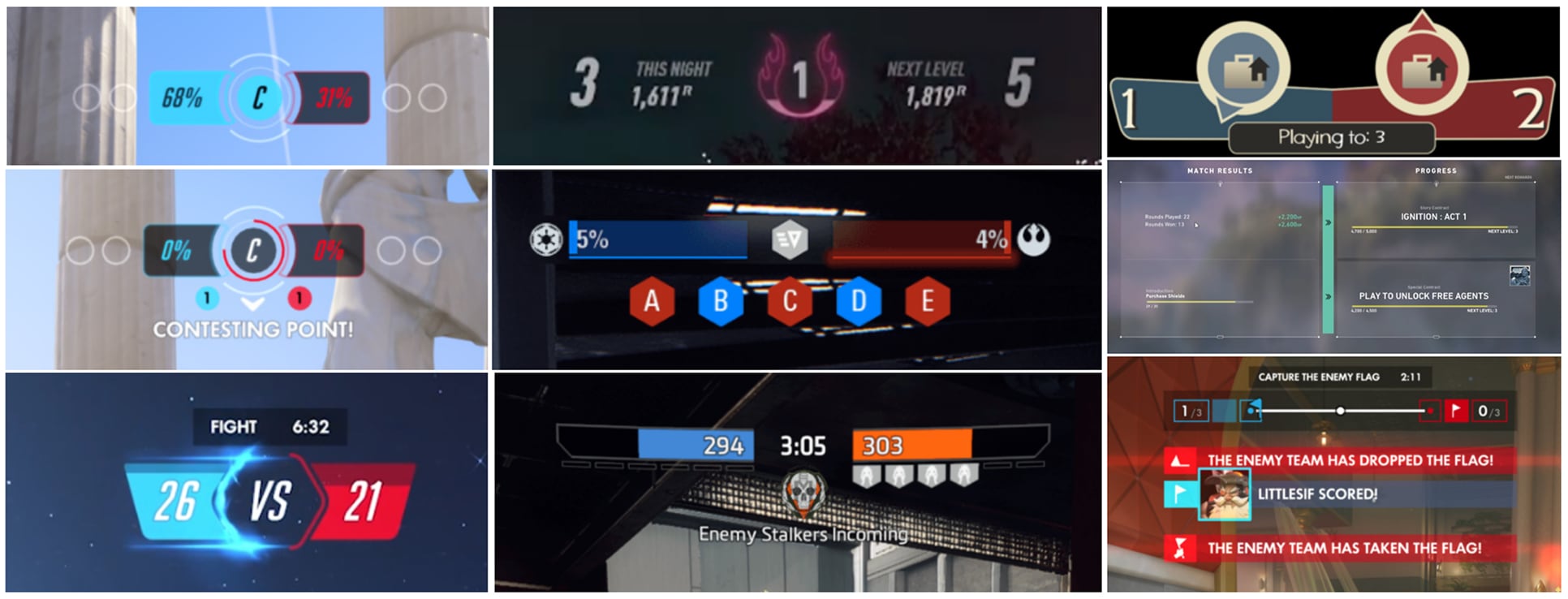
Wireframes
I use adobe XD to illustrate and iterate on basic visuals, iconography and layout lock up. Below are a number of iterations I went through to try and visually communicate the point progression system to the player. The modes command posts were already characterised as hexagons so I begin working with the shape as a base.
The key info to communicate was 12 waves in total, with 4 command posts to defend each associated with 3 waves.

Prototypes
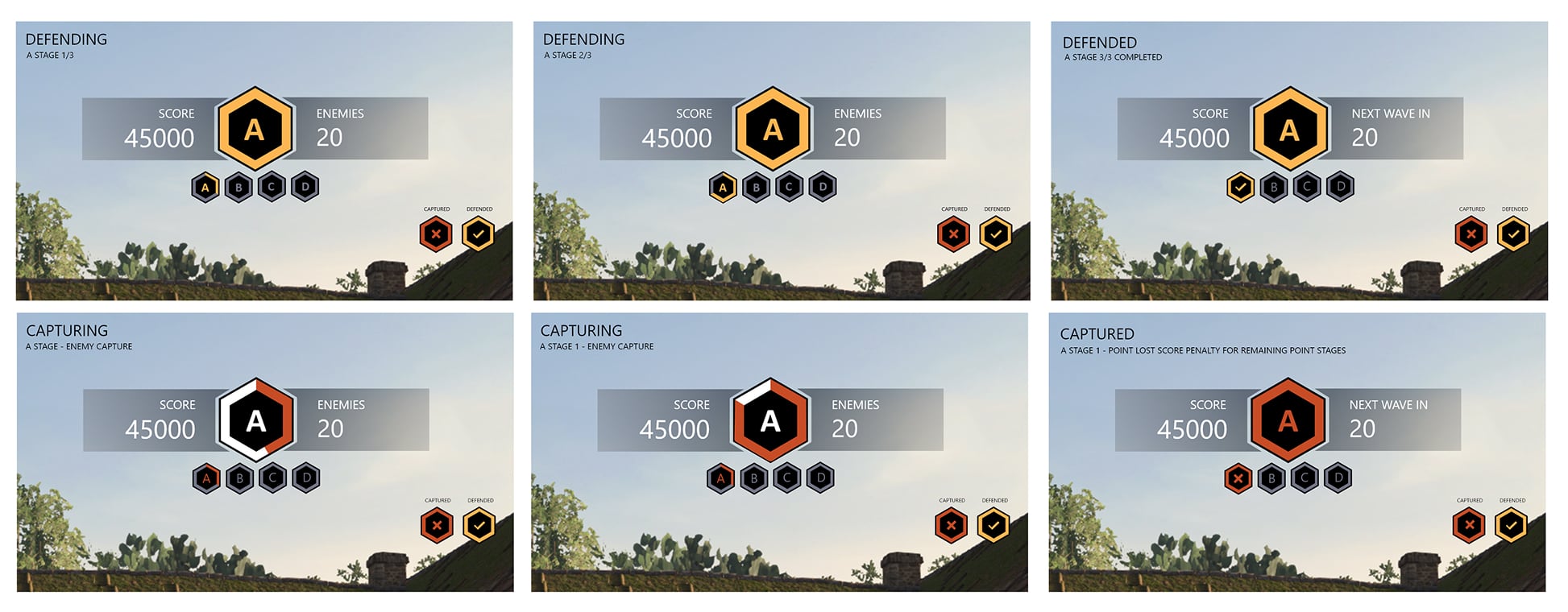
With the last score lock up decided I then worked on how to commutate to the player the success and soft failure states the command post. I explored the use of colour and iconography to transition between states of safe, captured and successfully secured.
High Fidelity Mock ups
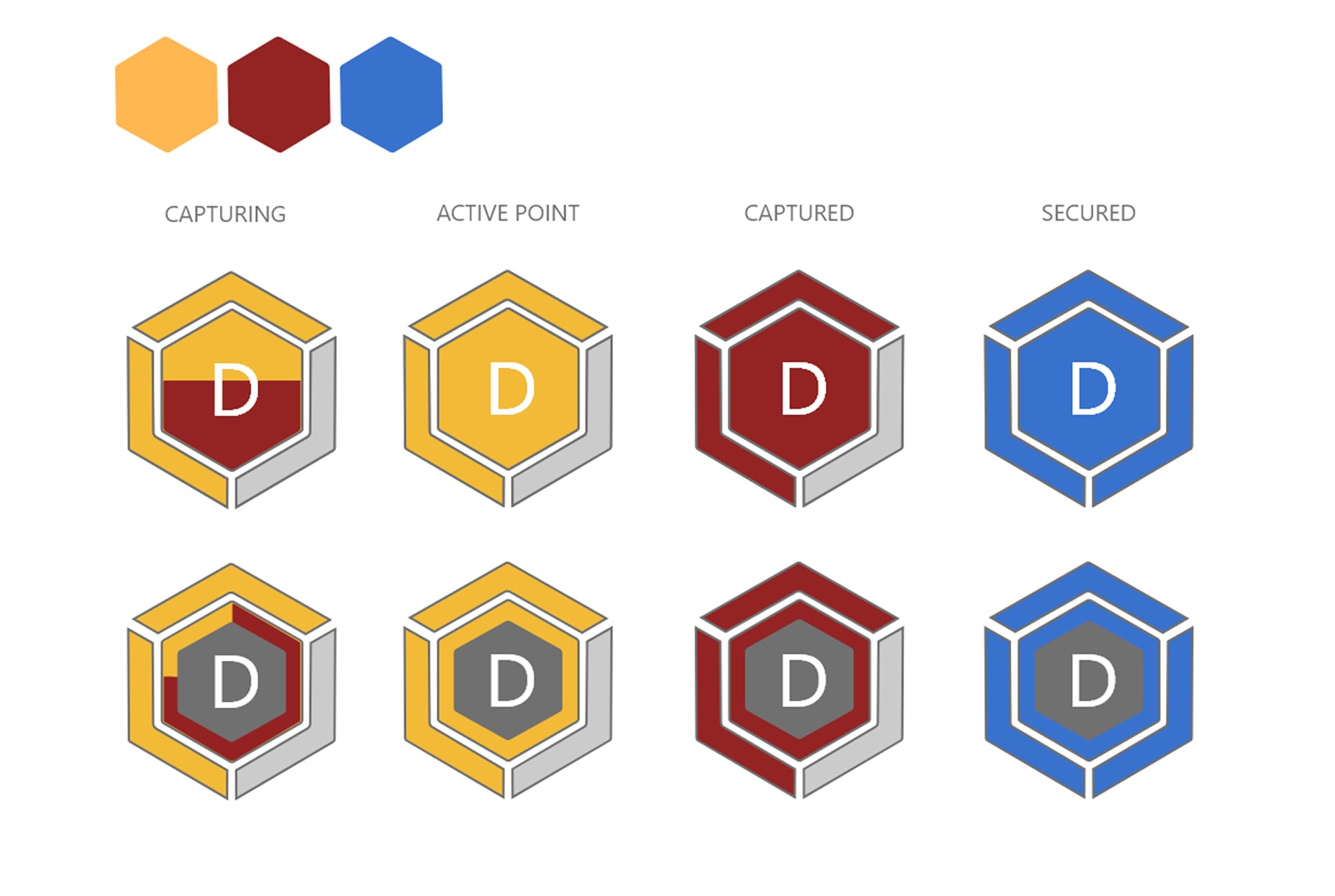
The progress of the points capture needed to grab the players attention so I ended simplifying the states to make the capturing state stand out more rather than being over complicated by filler states that diluted the player awareness of the point.
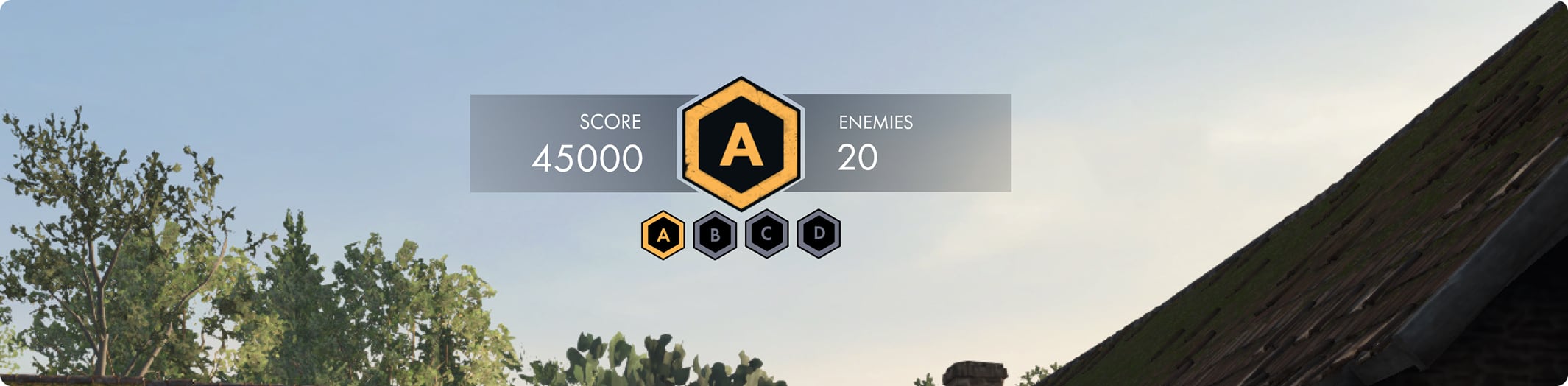
while the larger icon showed the current points status, the smaller ihexagons show the success and failure states of each post as well as tracks the wave number compeleted and associated with each, 3 segmants, 3 wasve completed, 1 command post saved
Asset Creation
Within Adobe Photoshop I recreate and polish my mock ups from XD. I add additional texture and grit to match the Sniper Elite style. The asset are then exported individually as to perforce to then be built as the final element in engine.
Implementation
I use our node base visual scripting system to implement the the score widget into the games HUD, ready for testing. I use a horizontal layout to ensure the elements correctly fit together no matter the screen ratio size. For the capturing progress I use a radial clip that is controlled by a capture progress parametric float.
To keep the cost of the widget down I make the smaller hexagons use an instance/reusable element with a number of overrides: Point letter (“A”), stage progression (“1/3”) and status (Inactive, Captured , Secured ). I then run this instance through an array to populate 4 of them.
Survival end flow
Showcasing : UI - Art - Implementation - Motion Design
Wireframe
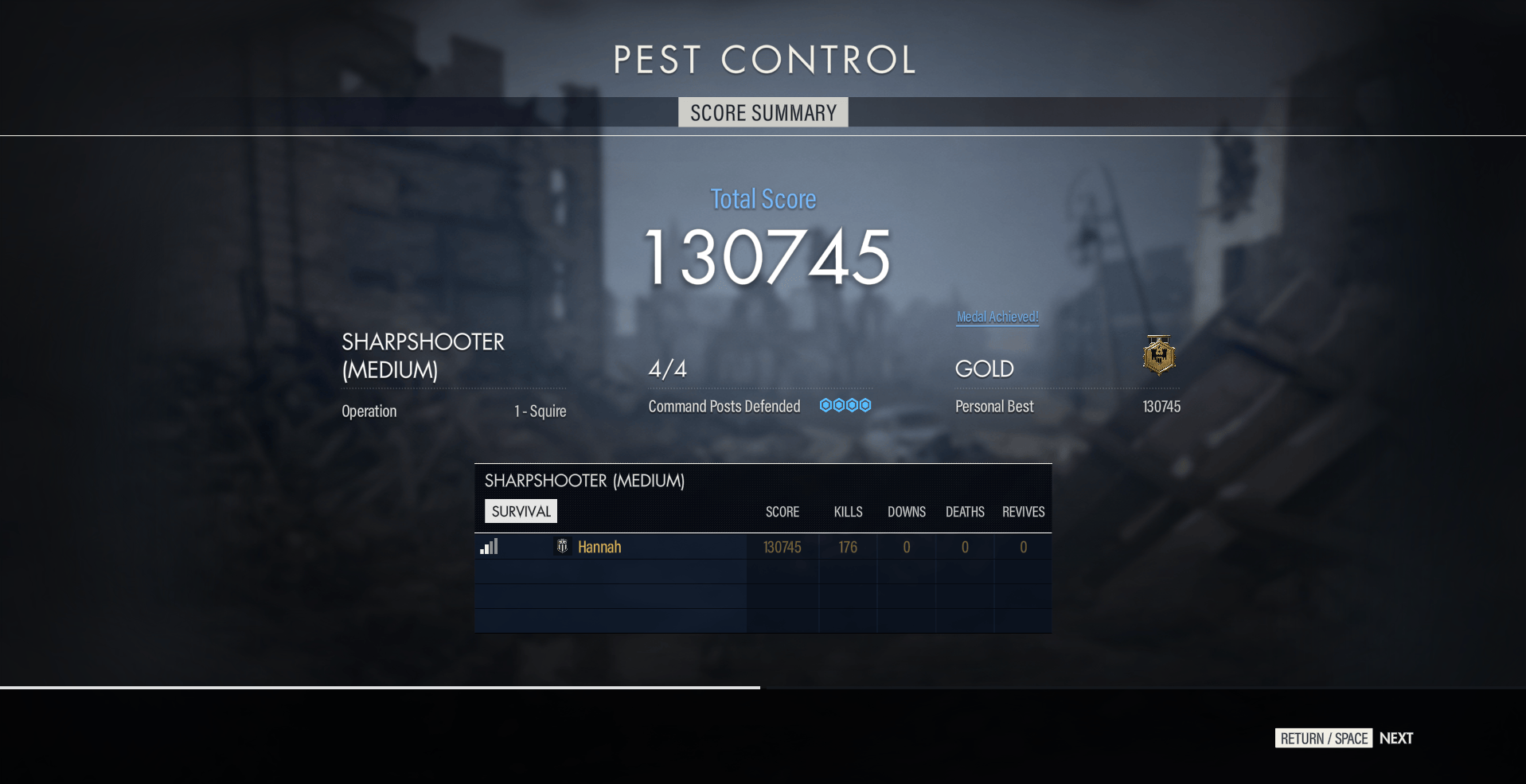
Information blocking before creating a high fidelity mock up. The score screen needs to maintain similar structure to sniper Elite 5’s other modes such as no cross.
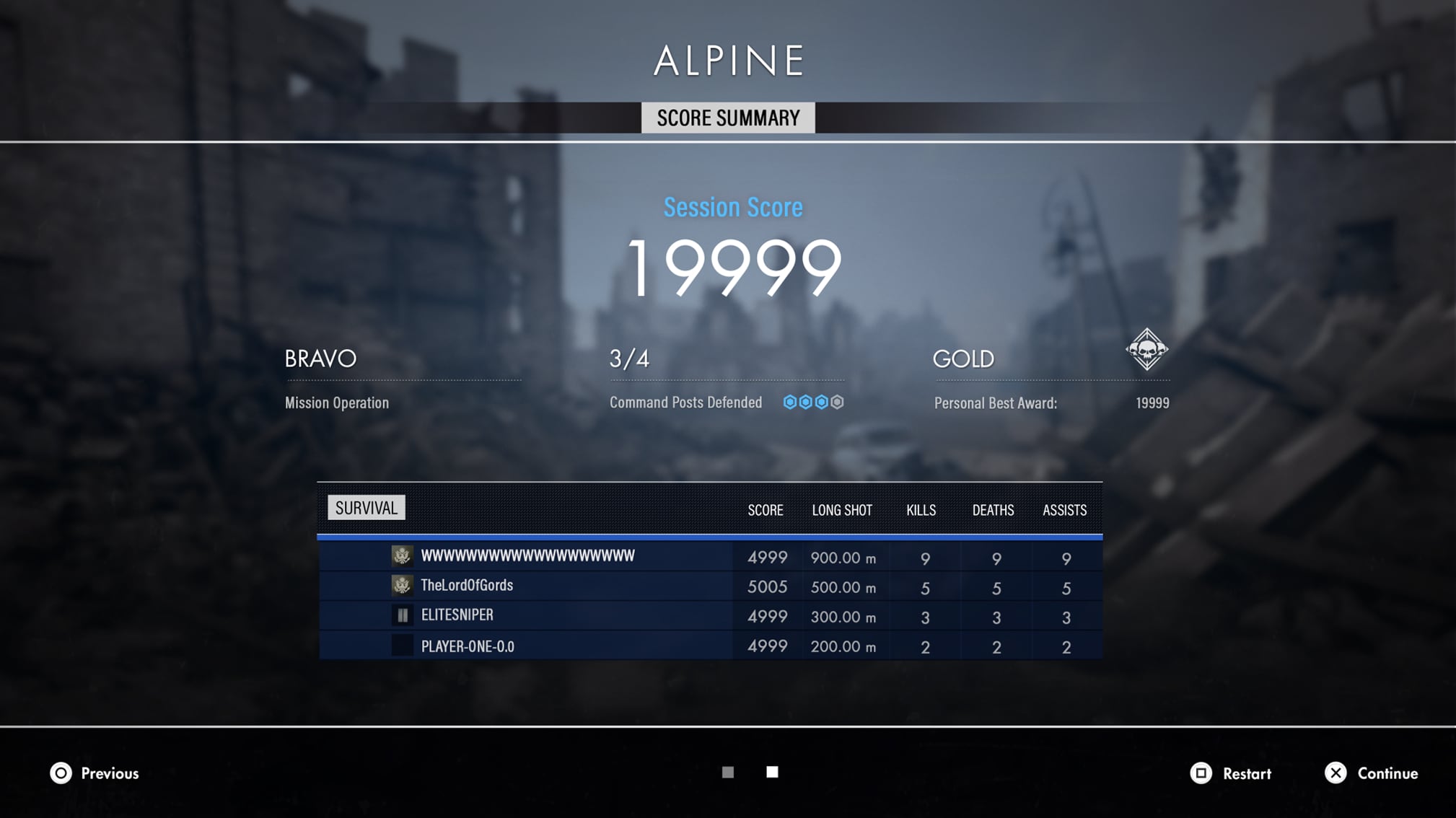
I organised the content in order of importance, for example I highlight the players score then the mission name , command post progress, the medal achieved and then the full player score break down.

Final Implementation & Animation
To ensure the implementation matches the art mock up as close as possible I add the mock up to my template in engine overlaying my work. This lets me get a pixel perfect final product. To add the final polish to the page I create a paginated animation flow that brings each element in one at a time.